When you try to install Windows 11 via a bootable USB flash drive, you might unexpectedly see this dialog:
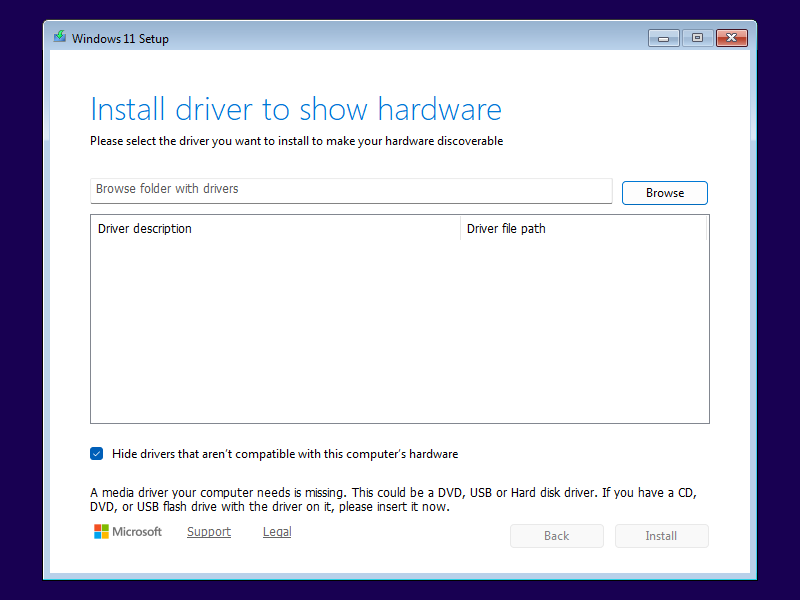
More often than not, this dialog is misleading: While there are rare cases when Windows PE indeed requires additional drivers to access the disk drives in your computer, it is more likely that there is simply an issue with your USB flash drive. Windows 11 versions 24H2 and 25H2 seem particularly prone to this problem, and this might be related to the ConX setup experience which became the default setup mode in version 24H2.
To verify this, press Shift+F10 to open a console window and type notepad X:\$WINDOWS.~BT\ to inspect the log file. Windows Setup searches for a install.wim, install.esd or install.swm image file at the very beginning of the installation process, even before asking for language and keyboard settings. Under normal circumstances, Windows Setup will locate that image file on the USB flash drive – drive D: in this example:
2026-07-27 16:19:28, Info                  MOUPG  Driver: Searching for install images...
2026-07-27 16:19:28, Info                  MOUPG  Driver: Module to hash is [X:\Sources\SetupHost.exe]
2026-07-27 16:19:28, Info                  MOUPG  Driver: Evaluating drive [D] as media location
2026-07-27 16:19:28, Info                  MOUPG  Driver: Media located at drive [D]
2026-07-27 16:19:28, Info                  MOUPG  Driver: Found install image at [D:\Sources\Install.wim]
2026-07-27 16:19:28, Info                  MOUPG  Driver: Found Media path at [D:]
However, when the USB flash drive is unreliable, Windows Setup might be able to boot from it, but then fail to locate the image file:
2026-07-27 16:19:28, Info                  MOUPG  Driver: Searching for install images...
2026-07-27 16:19:28, Info                  MOUPG  Driver: Module to hash is [X:\Sources\SetupHost.exe]
2026-07-27 16:19:28, Info                  MOUPG  Driver: Evaluating drive [D] as media location
2026-07-27 16:19:28, Info                  MOUPG  Driver: Drive [D] did not contain [D:\Sources\SetupHost.exe] at expected location
2026-07-27 16:19:28, Info                  MOUPG  Driver: Found install image at [(null)]
2026-07-27 16:19:28, Info                  MOUPG  Driver: Found Media path at [(null)]
2026-07-27 16:19:28, Warning               MOUPG  Unable to find media
Loading whatever driver will not fix that. Instead, try these steps to remedy the issue: